USB. Full control.
Click, type, scroll and drag from your Mac while your iPhone stays connected and charging.
Mirror and control your real iPhone from macOS over USB or AirPlay. Built for Europe. Private by design.
Real USB capture
Your real iPhone. Live on your Mac.
Open apps, approve sign-ins and test real-device flows without leaving your Mac.
Real product footage · physical iPhone over USB
No jailbreak
No region switching
Local mirroring
One Mac per license
Use the cable when you want control. Go wireless when you only need the view.
Click, type, scroll and drag from your Mac while your iPhone stays connected and charging.
Mirror across the same trusted network when the cable can stay in your bag.
Your screen stays between your devices.
These are direct captures of IphoneMirrorSolution running on macOS. What you see here is what you download.
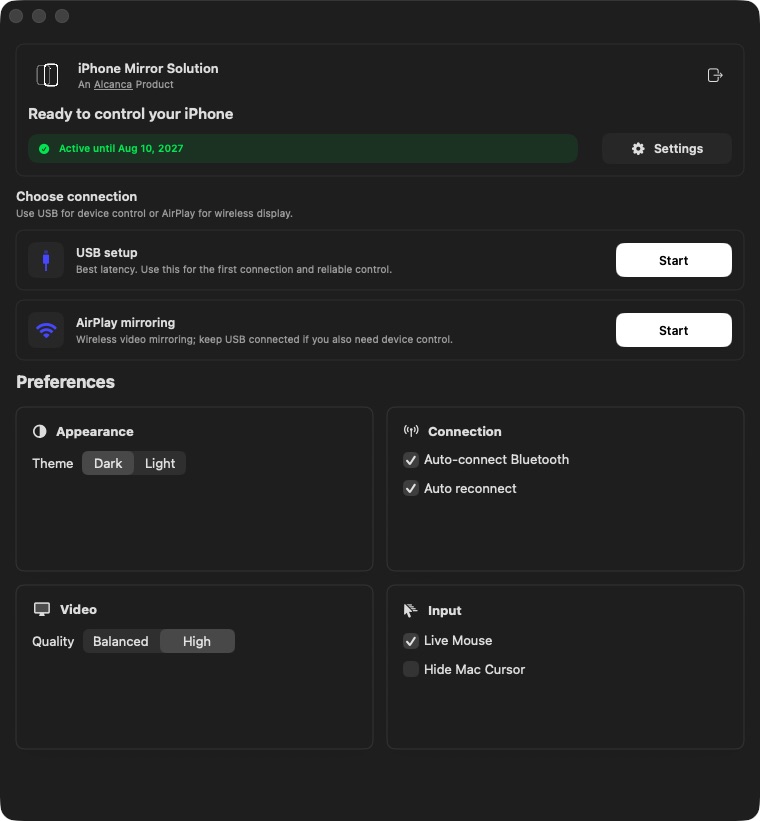
See your licence, choose USB or AirPlay and open the settings from one clear screen.
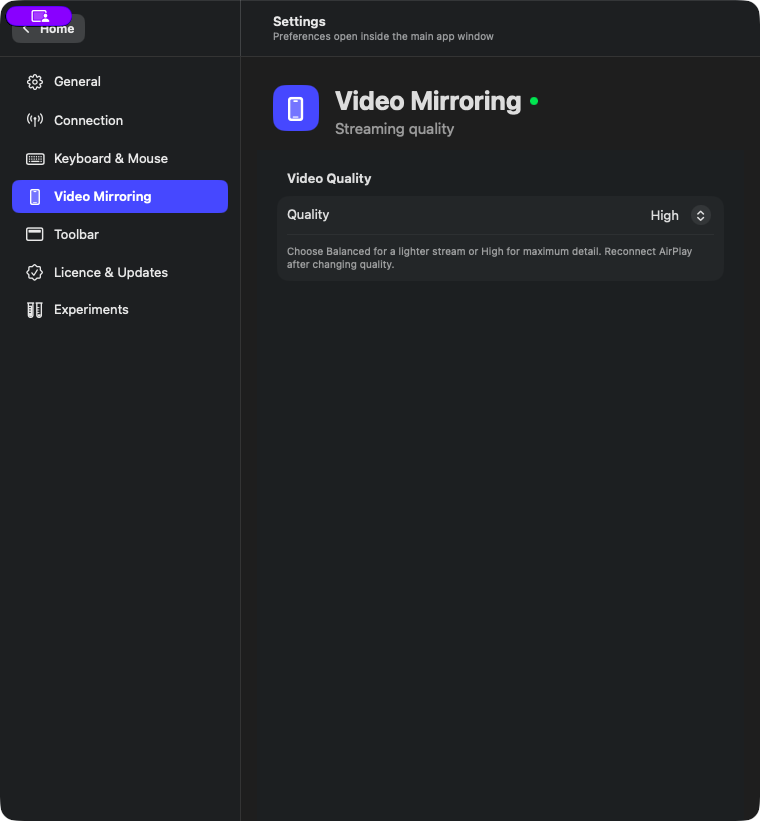
Choose Balanced or High. The app handles the rest so the experience stays simple.
Open phone-only apps, check authenticator codes and finish banking flows without constantly reaching for the device beside you.
Click, type, scroll and drag with the keyboard and mouse already on your desk while the iPhone stays connected and charging.
Reproduce customer issues, run real-device QA and present mobile experiences on a larger screen instead of relying only on a simulator.
Choose a plan, receive the key by email, download the app and activate it with your checkout account.
Secure Stripe checkout
Receive your licence key
Install the macOS app
Sign in and enter the key
4.99€/ month
Cancel anytime
29.99€/ year
Save two months
59.99€one payment
Keep access forever
One license covers one Mac. Updates and email support included.
Clear answers about compatibility, privacy and your license.
Apple’s native iPhone Mirroring is not available in the EU. IphoneMirrorSolution gives European Mac users iPhone mirroring and control without changing regions or jailbreaking their device.
A Mac running macOS 14 or later and an iPhone. USB is required for keyboard and mouse control; AirPlay provides wireless mirroring on the same trusted network.
Yes. Mirroring runs locally between your iPhone and Mac. There is no cloud video relay, so your screen stays between your devices.
Each license covers one Mac. If you move to a new machine, support can transfer your activation.
Your license is attached to your account and remains recoverable. Use the I Lost My License page or contact support.
Email us or visit the Help and Guides pages for setup, account, licensing and billing support.
Set up in minutes. Control over USB or mirror wirelessly with AirPlay.